
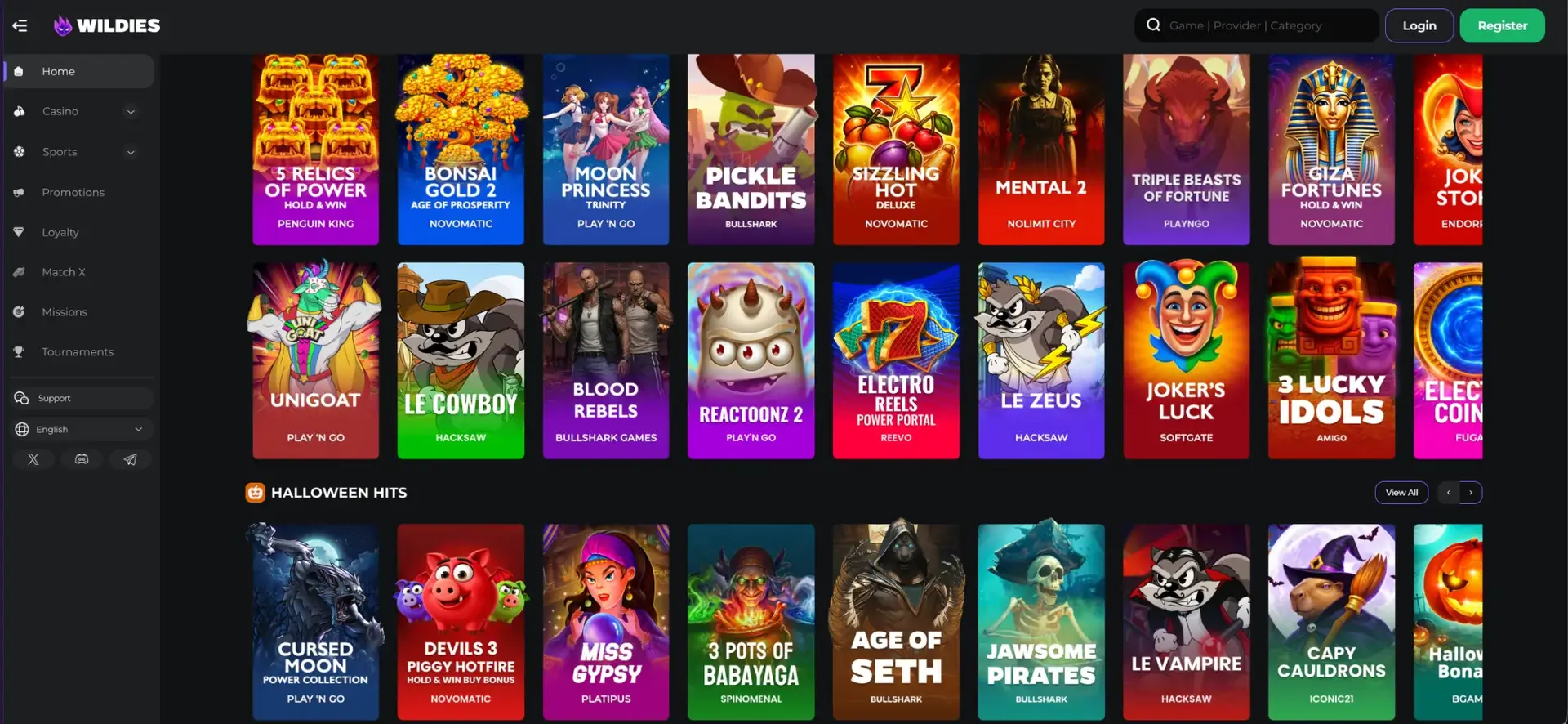
There is no native Wildies Casino app for iPhone or Android. The brand is not in the App Store or Google Play, and no APK download is offered. The full site runs in any current mobile browser instead, including Safari, Chrome, Firefox and Samsung Internet. It gives access to all 3,300+ games, the sportsbook, promotions and the cashier, with Apple Pay and Google Pay among the deposit options. For one-tap access, Wildies can be saved to the home screen as a shortcut that opens the site directly, much like an app icon.
This page explains why the browser version is the official way to play Wildies on mobile, how to set up the home screen shortcut on iOS and Android, what works on a phone, how mobile payments and withdrawals work in euros, and how to keep the account secure on a mobile device.
| Feature | Mobile browser details |
|---|---|
| Download required | No, runs entirely in the browser |
| Native app in App Store / Google Play | Not available |
| iOS access | Safari, Chrome or Firefox on iPhone and iPad |
| Android access | Chrome, Firefox, Samsung Internet or any modern browser |
| Home screen shortcut | Available on iOS and Android |
| Game catalogue | 3,300+ titles, identical to desktop |
| Live casino | Evolution, Creedroomz, 7 Mojos and Iconic21 streams |
| Sports and live betting | Full sportsbook with bet slip, cash out and Multi Bet Builder |
| Mobile deposits | Apple Pay, Google Pay, Visa, Mastercard, Revolut, MuchBetter, vouchers, crypto |
| Withdrawals | Bank transfer and crypto, up to €2,000 (≈ £1,720) per transaction |
| Login | Username / email + password or Login with Google |
| Updates | Automatic, no manual updates |
Is there a Wildies Casino app for Android or iOS?
No. Wildies does not offer a dedicated app on either platform. Real-money casino apps in the UK App Store and Google Play are generally restricted to operators with a UK Gambling Commission licence. Wildies holds an Anjouan licence, so it focuses on a mobile-optimised website instead. Any file or store listing that claims to be an official Wildies app should be treated with caution, as it is not distributed by the brand.
For players, the practical difference is small. The browser version uses the same account, balance and promotions as desktop, and it is always up to date, because changes to the site apply immediately. Nothing has to be installed, so the site also takes up no storage space on the phone.
How to access Wildies on mobile
Opening Wildies on a phone takes the same steps as on a computer. The side menu collapses into a compact bar to leave room for game tiles.
- Open your mobile browser and go to wildies.com.
- Tap Login in the top-right corner, or Register if you are new.
- Sign in with username or email and password, or with Login with Google.
- Open the menu to reach Casino, Sports, Promotions, Loyalty, Missions, Match X and Tournaments.
- Use the search field ("Game | Provider | Category") to find a title directly.
How to add Wildies to your home screen
A home screen shortcut gives the closest thing to a Wildies Casino app. It places a Wildies icon next to your other apps, and the site opens in one tap without typing the address.
iOS instructions (Safari)
On iPhone and iPad, the shortcut is created through Safari's share menu.
- Open wildies.com in Safari.
- Tap the Share icon (the square with an upward arrow) in the toolbar.
- Scroll down and tap Add to Home Screen.
- Keep the name "Wildies" or change it, then tap Add.
- The icon appears on the home screen and opens the site directly.
Android instructions (Chrome)
On Android, Chrome adds the shortcut from its main menu. Samsung Internet and Firefox offer the same option under similar names.
- Open wildies.com in Chrome.
- Tap the three-dot menu in the top-right corner.
- Choose Add to Home screen.
- Confirm the name and tap Add, then confirm again if asked.
- Open Wildies from the new icon on the home screen.
Features available on mobile
Everything on the desktop site is available in the mobile browser version. The main sections are:
- Casino: Casino Lobby, Live Casino and Buy Bonus, with New Games, Top Games, Jackpots and Megaways filters.
- Sportsbook: EPL, EFL, SPL, UCL and NBA tabs, live betting, booking codes and cash out.
- Promotions: the four welcome stages, crypto welcome bonus, reloads, cashback, rakeback and sports offers.
- Loyalty: level progress and the rewards store.
- Tournaments: Opt in to the Monthly Tournament and provider events.
- Cashier: deposits, withdrawals and transaction history.
- Account: verification documents and responsible gambling limits.
- Support: 24/7 live chat from the menu.
Wildies performance on mobile
The mobile version runs on the same platform as desktop, so speed depends mainly on the phone and connection rather than on a separate app build.
- Lobby: games load as rows of tiles, so the first titles appear while the rest load in the background.
- Slots: HTML5 games from Play'n GO, Hacksaw Gaming, Nolimit City and others run without plugins and adapt to portrait or landscape.
- Live casino: Evolution streams adjust quality to the connection, keeping roulette and game shows playable on 4G and 5G.
- Sportsbook: odds update live in the match cards, and the bet slip opens as a panel without leaving the page.
- Instant games: Chicken Road 2 and Turbo Games titles are built for touch controls and short rounds.
Mobile payments and withdrawals in euros
The full cashier is available on mobile, and Apple Pay and Google Pay make phone deposits especially quick. Balances for UK accounts are held in euros by default, so a GBP card or bank account will convert each transaction. Withdrawals are only available by bank transfer or crypto, regardless of the deposit method.
| Method | Deposit | Withdrawal | Limits |
|---|---|---|---|
| Apple Pay / Google Pay | Yes | No | Min €20 (≈ £17) |
| Visa / Mastercard | Yes | No | €20-€2,000 (≈ £17-£1,720) |
| Revolut / bank transfer | Yes | Yes | €20-€2,000 (≈ £17-£1,720) |
| MuchBetter | Yes | No | Min €20 (≈ £17) |
| Flexepin / Voucherry | Yes | No | Voucher value |
| Crypto (BTC, BCH, ETH, USDT, DOGE) | Yes | Yes | Deposit up to €20,000 (≈ £17,200); withdrawal up to €2,000 per transaction |
Withdrawal requests are processed within 48 business hours. Crypto then arrives within minutes, while bank transfers add the bank's own processing time.
Security on the Wildies mobile version
The mobile site uses the same TLS encryption as desktop, and payments go through the same cashier. A phone carries extra risks, though. It can be lost or shared, so a few habits help. Lock the phone with a PIN or biometrics, leave Remember Me off on shared devices, and avoid public Wi-Fi for deposits and withdrawals. If you sign in with Google, protect that Google account with two-step verification.
Verification (KYC) on mobile
Identity documents can be uploaded directly from the phone's camera in the account section. Wildies normally asks for verification at the first withdrawal, and it becomes mandatory once deposits reach €10,000 (about £8,600). The usual documents are photo ID (passport or UK driving licence), proof of address from the last three months and proof of the payment method. Photos should be sharp, with all four corners visible and no glare.
Usage tips for UK players
A few settings and habits make Wildies smoother to use on a phone in the UK.
- Use Apple Pay or Google Pay for quick deposits, but set up a bank or crypto withdrawal route in your own name beforehand.
- Consider a euro-capable account such as Revolut to reduce conversion fees on the EUR balance.
- Switch to Wi-Fi for long live casino sessions to save mobile data.
- Rotate the phone to landscape for slots with wide reel layouts.
- Set deposit and session limits in the account settings, which apply on every device.
- Keep the browser updated so games and the login window load correctly.
FAQ on the Wildies Casino app
Common questions from UK players about using Wildies on a phone.
Is there an official Wildies Casino app?
No. Wildies has no native app for iOS or Android. The mobile browser version is the official way to play on a phone.
Can I download a Wildies APK for Android?
No official APK is offered. Files claiming to be a Wildies app do not come from the brand and should be avoided.
How do I get a Wildies icon on my phone?
Use Add to Home Screen in Safari, or Add to Home screen in Chrome, while wildies.com is open.
Are all games available on mobile?
Yes. The full catalogue of more than 3,300 games, including live casino and the sportsbook, runs in mobile browsers.
Can I use Apple Pay at Wildies?
Yes, for deposits from €20 (about £17). Withdrawals have to go to a bank account or crypto wallet.
Does the Wildies welcome bonus work on mobile?
Yes. All four welcome stages, the crypto welcome bonus and the sports free bets can be claimed from a mobile browser.
Is the Wildies mobile site safe?
The mobile site uses the same TLS encryption and cashier as desktop. Account security also depends on a strong password and a locked device.
Last updated: 19 October 2026