
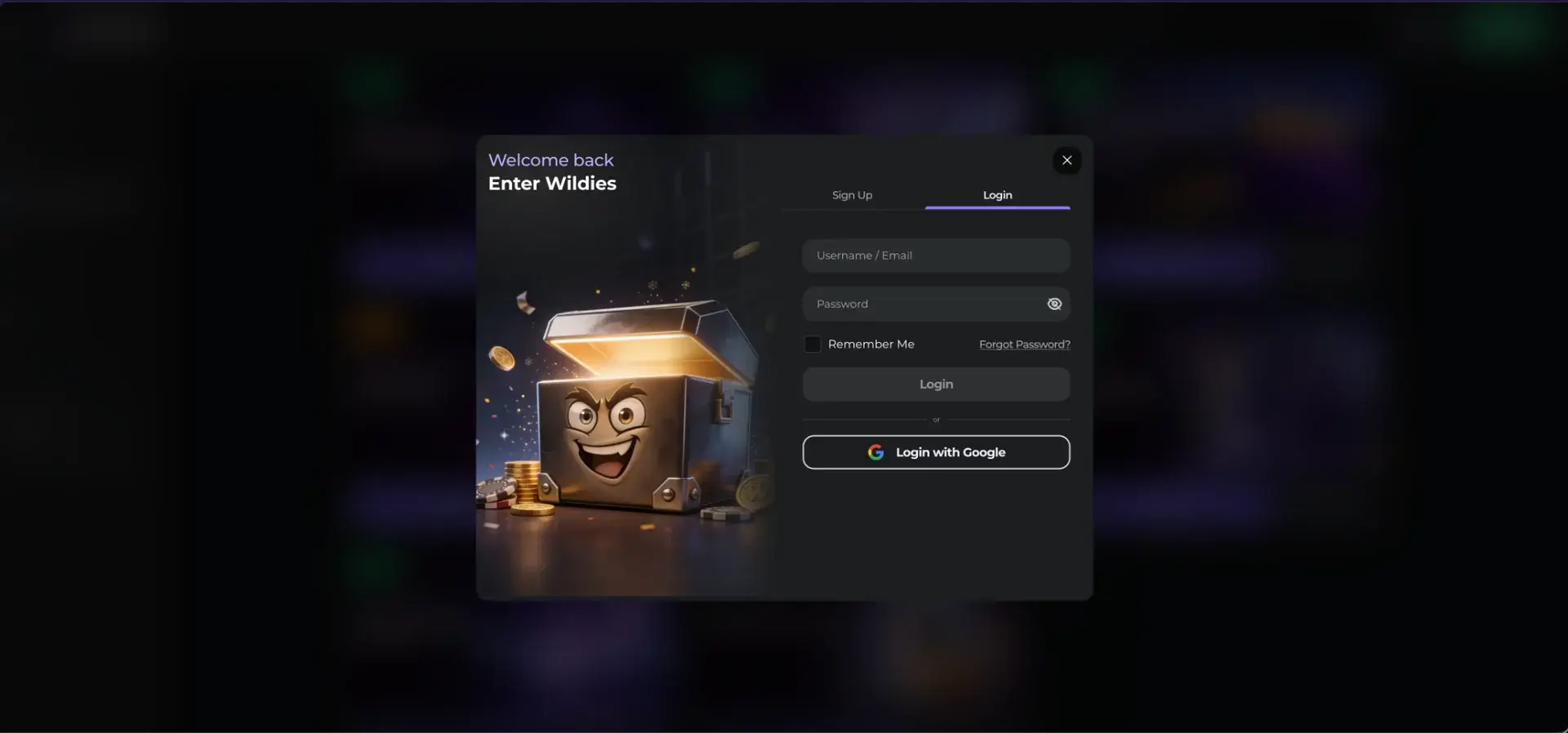
To log in to Wildies Casino, click the outlined Login button in the top-right corner of wildies.com, next to the green Register button. Enter your username or email and your password, then click Login, or choose Login with Google if the account was created with Google. The same form works on desktop and in mobile browsers. If login fails, use the Forgot Password? link under the password field, clear the browser cache or contact 24/7 live chat through the Support button in the side menu.
The login form is a pop-up window with Sign Up and Login tabs, so a new player and a returning player use the same entry point. The password field has a show/hide icon to check typing before submitting, and the Remember Me option keeps the session active on a private device. All traffic between the browser and the site is encrypted with TLS.
| Login essentials | Details |
|---|---|
| Where to log in | Login button, top-right corner of every page |
| Login method | Username or email + password, or Login with Google |
| Remember Me | Checkbox under the password field |
| Password reset | Forgot Password? link, reset sent to the registered email |
| Password rules | 8-30 characters, at least one number, no spaces |
| Device support | Desktop and mobile browsers on iOS and Android |
| Session security | TLS encryption, show/hide password toggle |
| When verification appears | Usually at the first withdrawal; mandatory after €10,000 (≈ £8,600) in deposits |
| Currency | EUR by default for UK accounts |
| Support | 24/7 live chat and [email protected] |
How to log in to Wildies Casino
The Wildies Casino login takes a few seconds. The form accepts either the username or the email address of the account, which helps players who have forgotten one of the two. The method has to match the way the account was created: an account opened with "Sign up with Google" is accessed through the Google button, not with a password.
Step-by-step login
The steps below are the same on a laptop, a tablet and a phone browser.
- Open wildies.com in Chrome, Safari, Firefox or Edge.
- Click Login in the top-right corner. A window titled "Welcome back - Enter Wildies" opens on the Login tab.
- Type your username or email in the first field.
- Enter your password. Use the eye icon to show it if you are unsure about a character.
- Tick Remember Me only on a device nobody else uses.
- Click Login. The page reloads with your balance and cashier in the top bar.
- For a Google account, click Login with Google instead and choose the account in the Google window.
Create an account if you do not have one yet
Switching to the Sign Up tab in the same window opens registration. The form is short and pre-fills the country as United Kingdom for British visitors. Currency is set to EUR by default, and UK players should check it before the first deposit.
Quick registration flow
Registration requires five actions and no personal details beyond an email.
- Enter your email address.
- Create a password: 8-30 characters, at least one number, no spaces.
- Check the currency (EUR) and country (United Kingdom).
- Confirm you are over 18 and accept the Terms & Conditions and Privacy Notice.
- Click Sign Up, or use Sign up with Google.
Secure login practices
A casino account holds money and identity documents, so it deserves the same protection as an online bank account. Most account takeovers come from reused passwords and shared devices, not from the site itself.
- Use a password that is not used on any other site, longer than the 8-character minimum.
- Store it in a password manager rather than in the browser on a shared computer.
- If you sign in with Google, protect the Google account with two-step verification, as it becomes the key to the casino account.
- Leave Remember Me unticked on work or public computers, and log out when finished.
- Type wildies.com directly or use a bookmark, and do not follow login links from unsolicited messages.
- Never share your password with anyone, including people claiming to be support staff.
Password recovery at Wildies Casino
Password reset runs through the email address on the account, so access to that inbox is required. Accounts created with Google have no Wildies password, so the reset applies to the Google account instead.
Reset steps
The reset link usually arrives within a few minutes. If it does not, check the spam and promotions folders before requesting a new one.
- Click Login, then Forgot Password? under the password field.
- Enter the email address used at registration.
- Open the reset email and click the link inside it.
- Set a new password that meets the 8-30 character, one-number, no-spaces rule.
- Return to the Login window and sign in with the new password.
Mobile login
Wildies has no native app, so mobile login happens in the phone's browser. The Login button sits in the same top-right position, and the pop-up window adapts to portrait width. Login with Google on mobile uses the Google account already signed in on the phone, which skips typing altogether.
Tips for mobile
A few settings make repeated mobile logins quicker and safer.
- Add Wildies to the home screen (Safari: Share › Add to Home Screen; Chrome: menu › Add to Home screen) to open the site in one tap.
- Let the phone's password manager or Face ID / fingerprint autofill fill in the credentials.
- Switch from mobile data to Wi-Fi, or the other way round, if the form hangs on submission.
- Keep the browser updated, as older versions may block the pop-up window.
Troubleshooting common Wildies Casino login errors
Most login problems have one of four causes. Each one can be fixed in a few minutes without contacting support.
Incorrect credentials
An "incorrect login or password" message usually means a typo, an extra space or the wrong email. Check the password with the eye icon, try the username instead of the email (or the other way round), and confirm that Caps Lock is off. If the account was opened with Google, the password field will never work, so use Login with Google.
Browser or cache issues
If the Login window does not open, does not respond or closes after submission, stored browser data or an extension is usually to blame.
- Clear the cache and cookies for wildies.com and reload the page.
- Disable ad blockers and script blockers for the site.
- Try a private window or another browser.
- Allow pop-ups for the site if the browser blocks them.
Google sign-in fails
Login with Google depends on the Google account rather than on Wildies. If the Google window closes without signing in, check that the right Google account is selected, that third-party cookies are not blocked for the site, and that the Google account itself is not asking for a security confirmation on another device.
Account blocked or restricted
An account can be locked after repeated wrong passwords, during a verification check, after a self-exclusion or cooling-off request, or if a duplicate account is detected. Each player may hold only one account. In these cases, a password reset does not help. Contact live chat with the account email ready, and the agent will explain the reason and the next step.
What you access after Wildies Casino login
Once signed in, the top bar shows the balance and a deposit button, and the left menu gives access to every product on the account.
- Casino: Casino Lobby, Live Casino and Buy Bonus sections with 3,300+ games.
- Sports: pre-match and live betting with EPL, EFL, SPL and Champions League tabs.
- Promotions: welcome stages, reloads, cashback, rakeback and sports offers.
- Loyalty: current level, points and the rewards store.
- Missions and Match X: task-based goals and extra reward features.
- Tournaments: Active and Finished events with Opt in buttons.
- Account settings: personal details, documents, transaction history and responsible gambling limits.
Account verification (KYC)
Verification is not part of login, but it usually appears soon after. Wildies requests documents at the first withdrawal, and full verification becomes mandatory once total deposits reach €10,000 (about £8,600). Uploading documents early keeps the first payout within the 48-business-hour processing window.
- Photo ID: passport, UK driving licence or national ID card.
- Proof of address dated within the last three months: utility bill, council tax bill or bank statement.
- Proof of payment method: a bank statement showing your name, or proof of a crypto wallet in your own name.
FAQ on Wildies Casino login
Short answers to the login questions UK players ask most often.
Where is the Wildies Casino login button?
It is in the top-right corner of every page, an outlined button labelled Login, directly to the left of the green Register button.
Can I log in with my username instead of my email?
Yes. The first field accepts either the username or the email address of the account.
Can I log in to Wildies with Google?
Yes, if the account was created with Google. Click Login with Google in the login window and choose the same Google account.
What should I do if I forgot my Wildies password?
Click Forgot Password? in the login window, enter your registered email and follow the link in the reset message.
Why can't I log in to Wildies Casino?
The usual causes are a typo, using the password field on a Google account, browser cache or a blocked account. Clear the cache, check the method and contact live chat if the problem continues.
Does Wildies have two-factor authentication?
The login form uses a password or Google sign-in. Players who want a second factor can sign in with a Google account that has two-step verification enabled.
Is the Wildies login the same on mobile?
Yes. The same button, form and credentials work in mobile browsers on iOS and Android.
Last updated: 19 October 2026